
Grant Request Workflow – NFP Grant Account Holders
A Grant Request workflow has been implemented within the Uniex Bank account to allow NFP Grant account holders, SPs/RPs and UNAs to submit grant requests and track the progress and status of their requests. The workflow operates as follows:
- Accessing the Grant Option
When an NFP Grant account holder logs into their Uniex Bank account, a “Grants” option is available on the dashboard. This option provides access to the grant request functionality.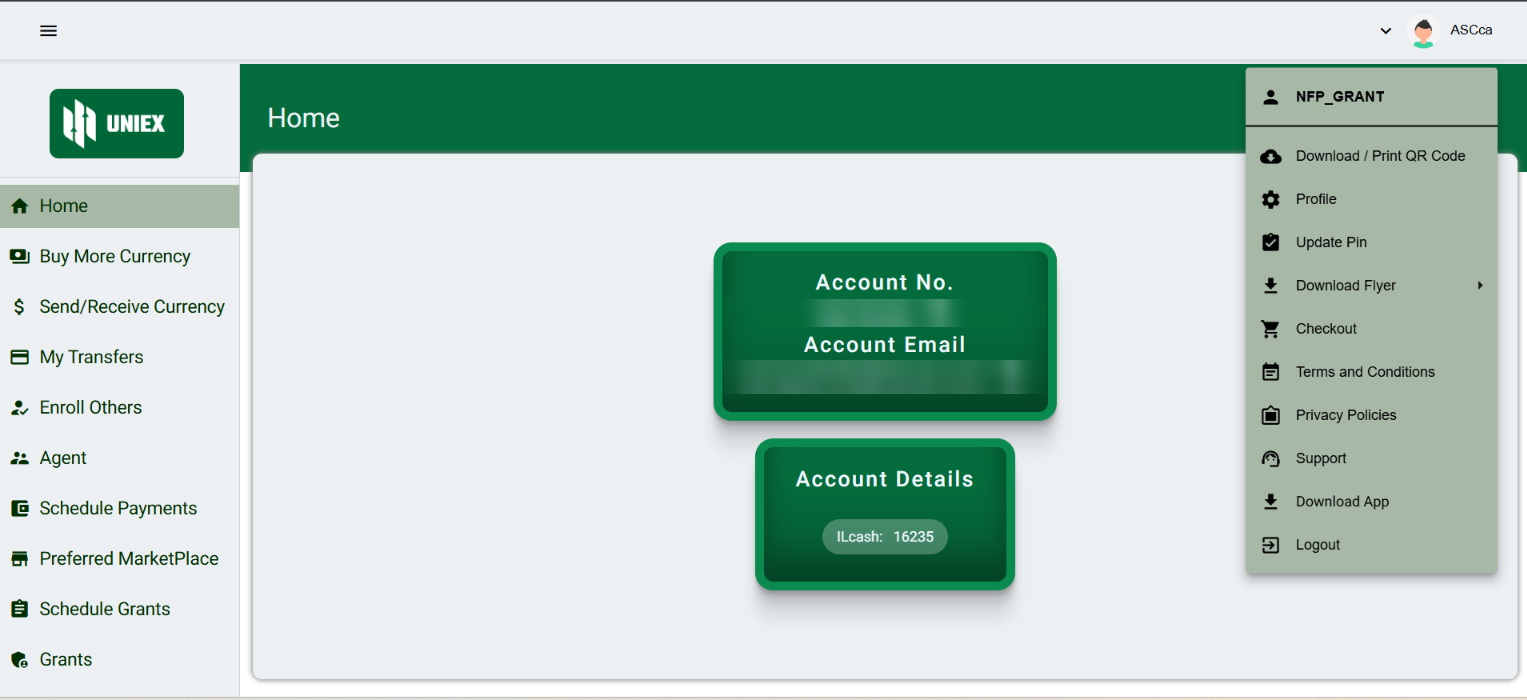
- Grant Options
When the account holder clicks on the “Grants” button, two options are displayed: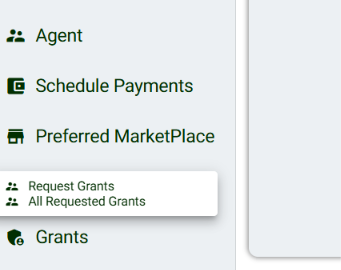
- Submit a Grant Request: Allows the account holder to create and submit a new grant request.
- Requested Grants: Allows the account holder to view all previously submitted grant requests and check their current status.
- Submitting a Grant Request
The NFP Grant account holder can submit a new grant request by providing the purpose of the grant. This information explains why the grant is being requested and provides the relevant details needed for the request to be reviewed.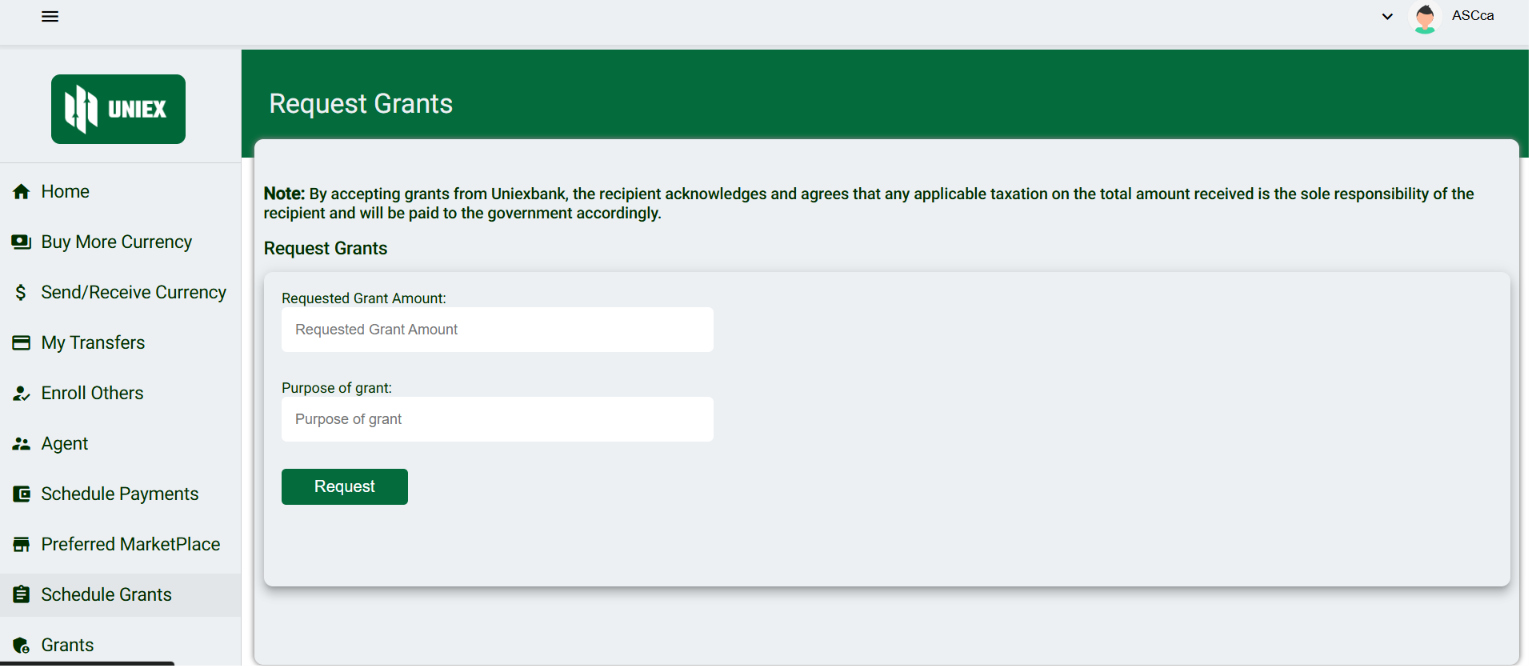
- Submission to the Relevant Partner
After the grant request is submitted, it is forwarded to the account holder’s respective State Partner (SP) or Regional Partner (RP) for review and approval. The request is therefore handled by the appropriate partner based on the account holder’s assigned region or state.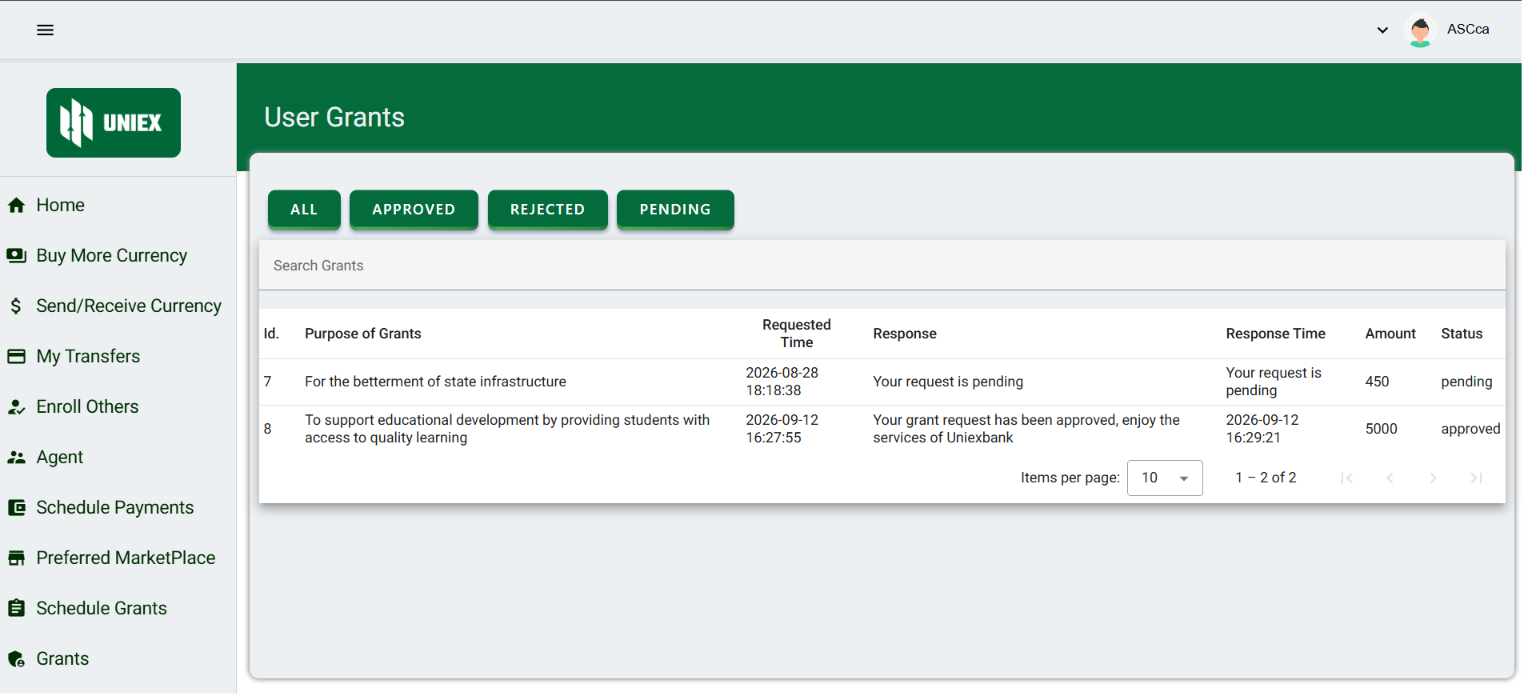
- Grant Approval and Currency Credit
Once the grant request has been reviewed and approved, the approved grant amount/currency is credited to the NFP Grant account holder’s account. The account holder can then see the credited amount in their account and use the grant according to the applicable requirements and conditions.