
Grant Request Workflow – NFP Grant Account Holders
A Grant Request workflow has been implemented within the Uniex Bank account to allow NFP Grant account holders, SSPs/RSPs and UNAs to submit grant requests and track the progress and status of their requests. The workflow operates as follows:
- Accessing the Grant Option
When an NFP Grant account holder logs into their Uniex Bank account, a “Grants” option is available on the dashboard. This option provides access to the grant request functionality.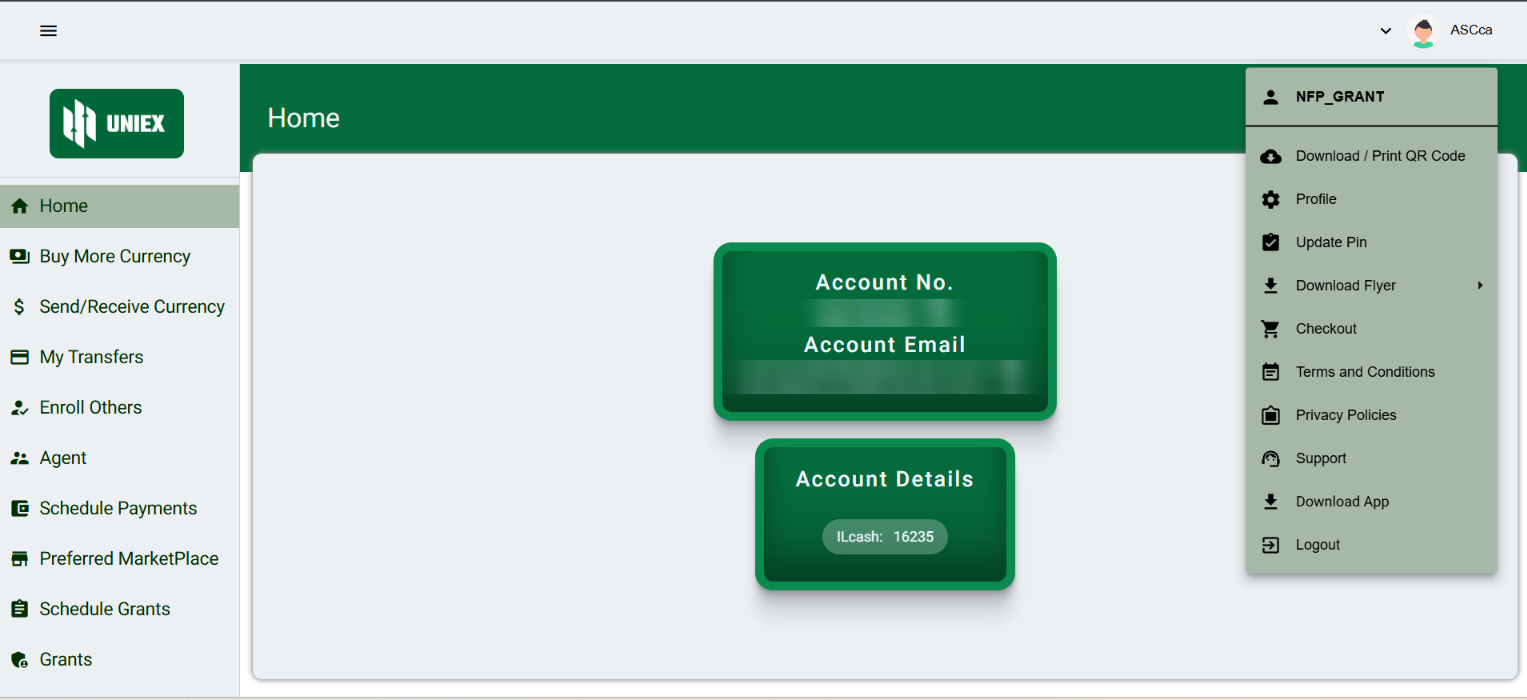
- Grant Options
When the account holder clicks on the “Grants” button, two options are displayed: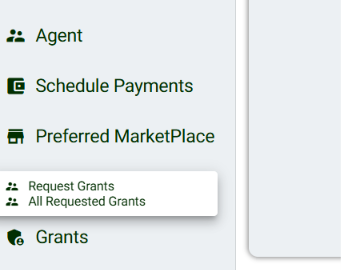
- Submit a Grant Request: Allows the account holder to create and submit a new grant request.
- Requested Grants: Allows the account holder to view all previously submitted grant requests and check their current status.
- Submitting a Grant Request
The NFP Grant account holder can submit a new grant request by providing the purpose of the grant. This information explains why the grant is being requested and provides the relevant details needed for the request to be reviewed.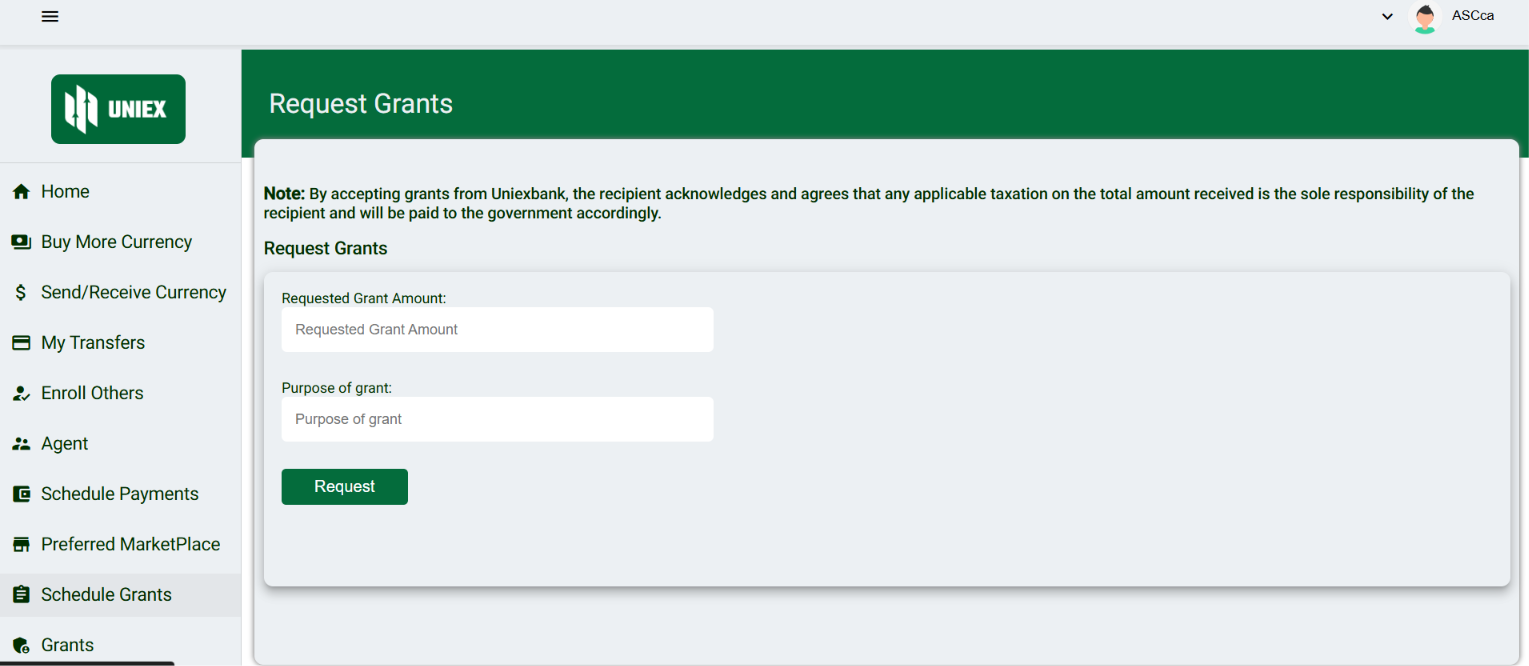
- Submission to the Relevant Partner
After the grant request is submitted, it is forwarded to the account holder’s respective State Partner (SSP) or Regional Partner (RSP) for review and approval. The request is therefore handled by the appropriate partner based on the account holder’s assigned region or state.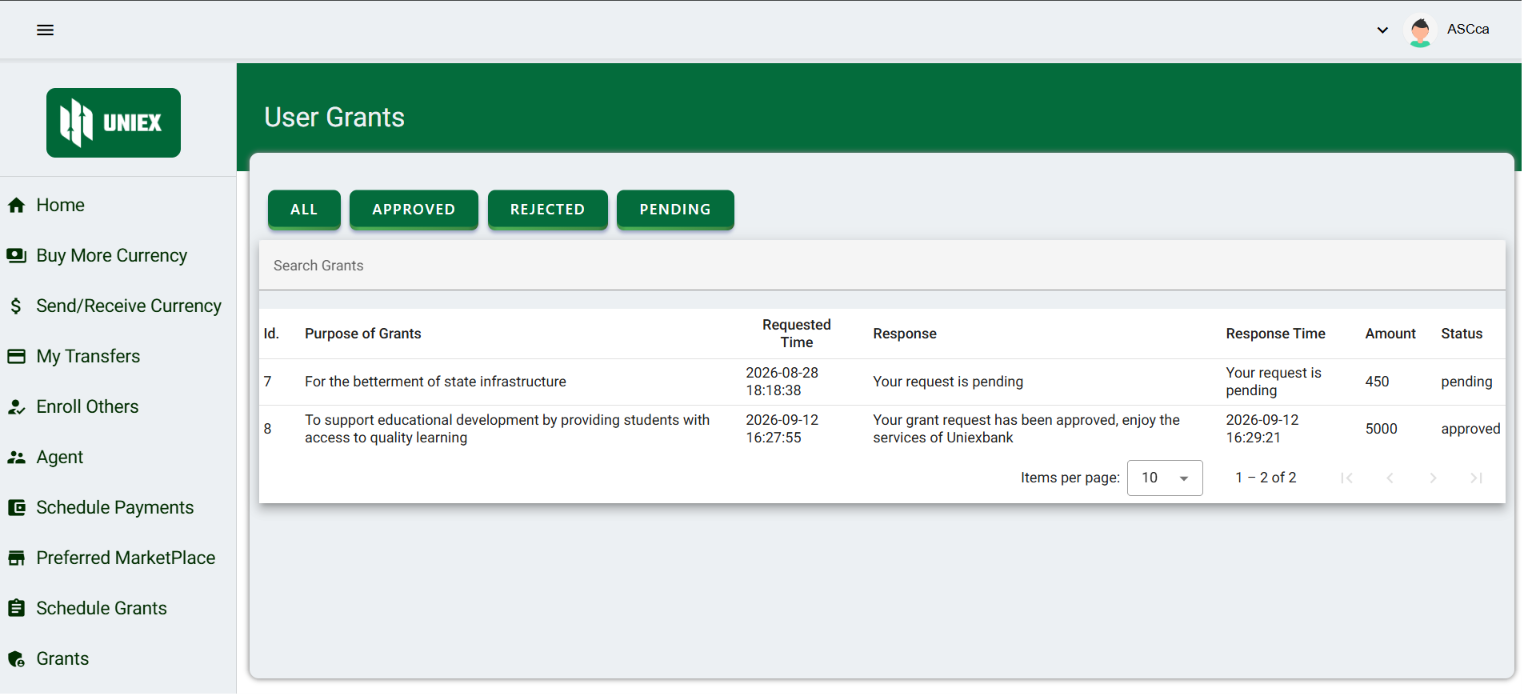
- Grant Approval and Currency Credit
Once the grant request has been reviewed and approved, the approved grant amount/currency is credited to the NFP Grant account holder’s account. The account holder can then see the credited amount in their account and use the grant according to the applicable requirements and conditions.
SSP/RSP Grant Request Workflow – Uniex Bank
The SSP/RSP Grant Request workflow has been implemented in the Uniex Bank account to allow State Service Partners (SSPs) and Regional Service Partners (RSPs) to request grants from their respective UNA. The workflow also allows SSP/RSP account holders to review, approve, or reject grant requests submitted by NFP Grant account holders within their assigned state or region.
The workflow operates as follows:
- Accessing the Grants Option
When an SSP/RSP account holder logs into their Uniex Bank account, they can see a “Grants” option on the dashboard. This option provides access to both grant requests submitted by the SSP/RSP themselves and grant requests submitted by NFPs under their respective state or region.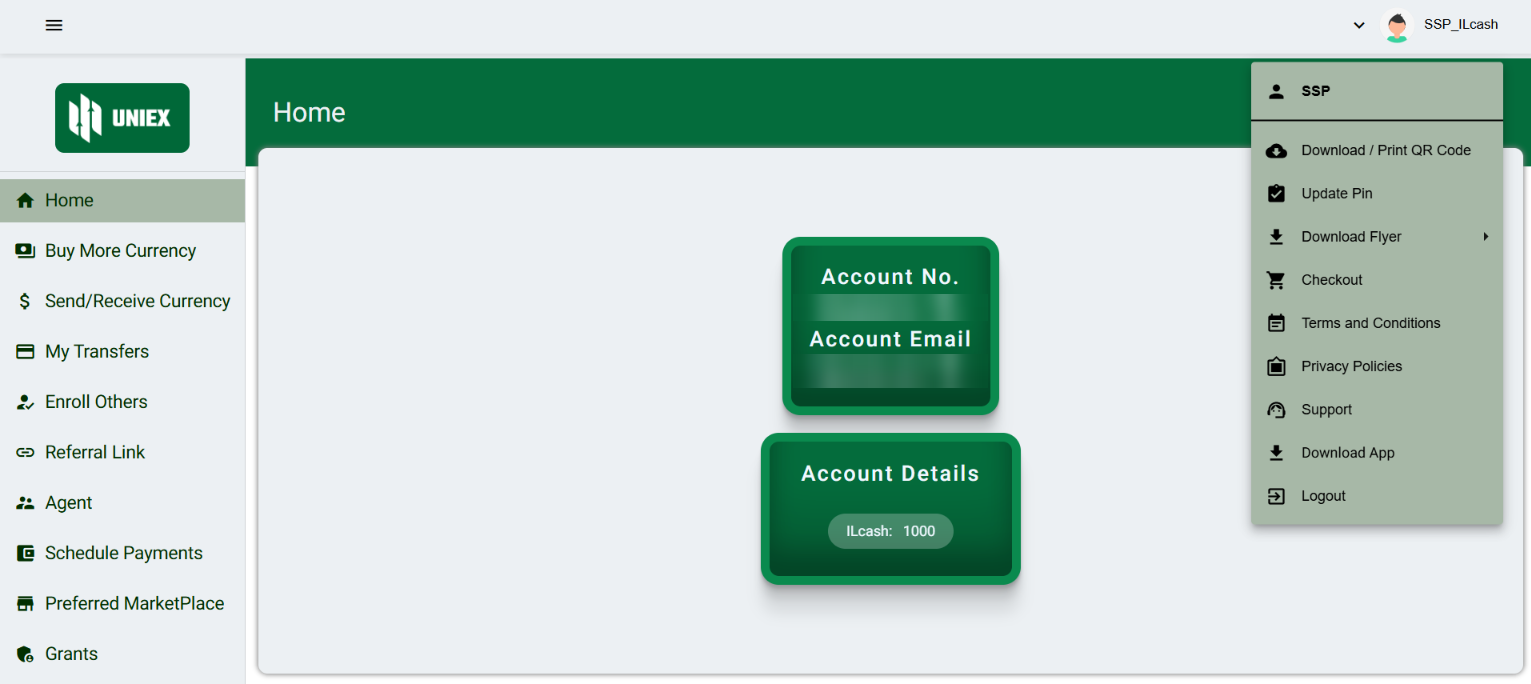
- Grant Options
When the SSP/RSP account holder clicks on the “Grants” button, two main options are displayed: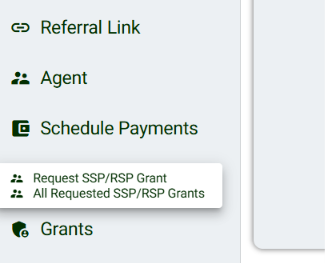
- Submit SSP/RSP Grant Request: Allows the SSP/RSP account holder to submit a new grant request to their respective UNA.
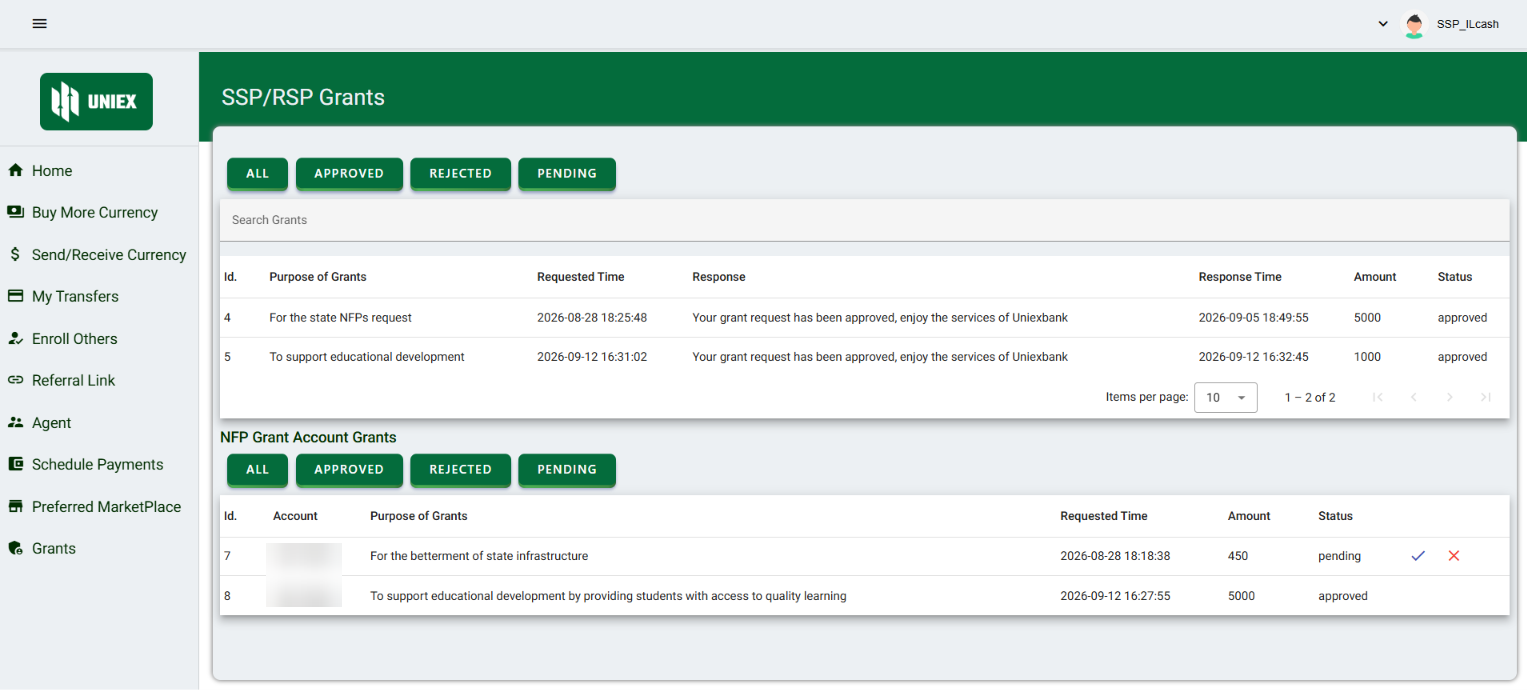
- All Requested SSP/RSP Grants: Allows the SSP/RSP account holder to view all grant requests they have submitted, along with their current status. This section also provides access to the grant requests submitted by NFP Grant account holders associated with their state or region.
- Submitting an SSP/RSP Grant Request
An SSP/RSP account holder can submit a grant request by providing the purpose of the grant and any other required information. The request is submitted to the SSP/RSP’s respective UNA for review and approval.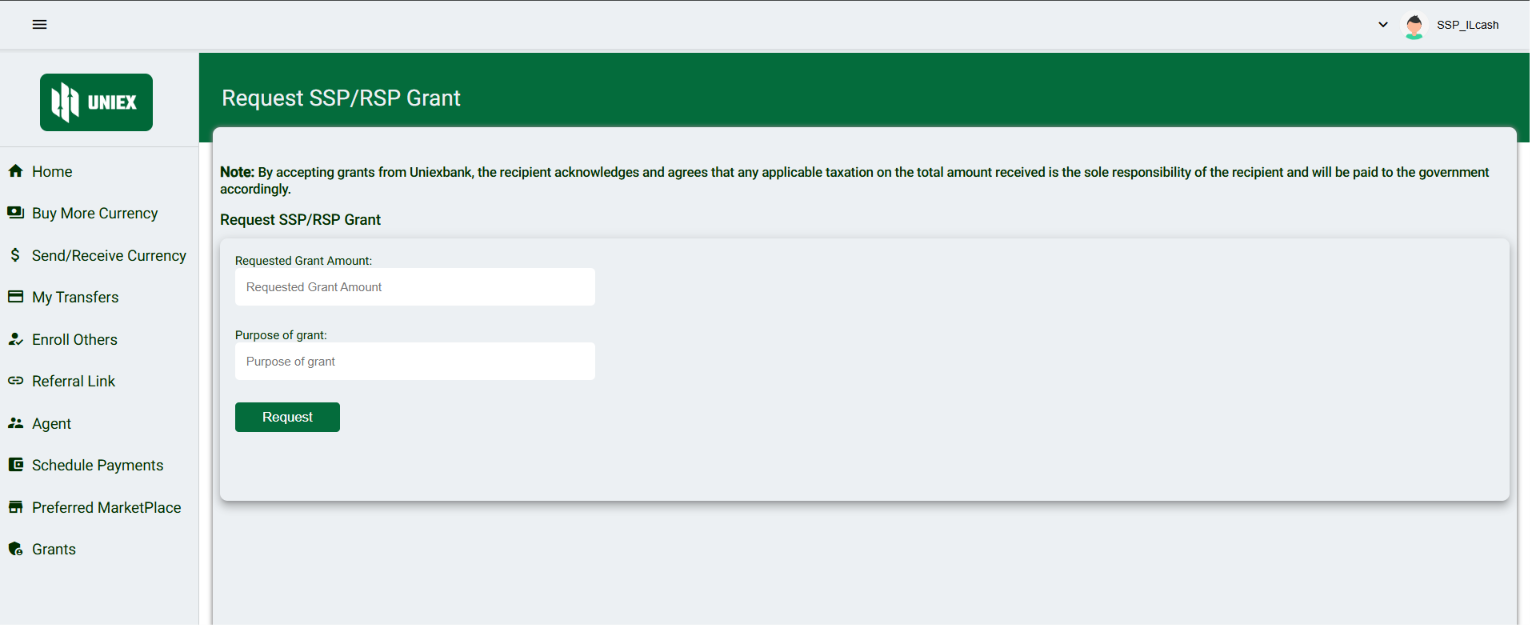
- Submission to the Respective UNA
Once an SSP/RSP grant request is submitted, it is automatically forwarded to the respective UNA associated with that SSP/RSP. The UNA can then review the request and make a decision regarding its approval. - Grant Approval and Currency Credit
If the SSP/RSP grant request is approved, the requested/approved currency is credited to the Uniex Bank account of the SSP/RSP account holder who submitted the request. This allows the SSP/RSP to receive the approved grant funds directly into their account. - Viewing and Managing NFP Grant Requests
Under the “All Requested SSP/RSP Grants” section, SSP/RSP account holders can also view grant requests submitted by NFP Grant account holders associated with their state or region. For these requests, the SSP/RSP can review the request and either accept or reject it.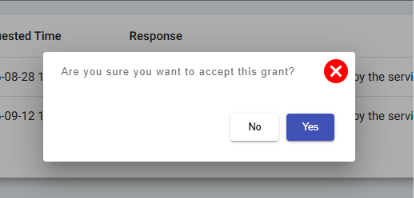
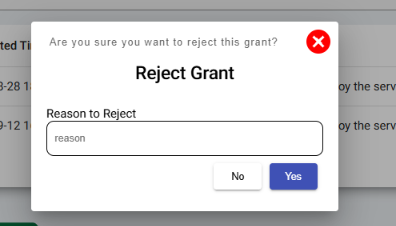
This allows the SSP/RSP to act as the reviewing authority for NFP grant requests before the requested currency is transferred to the NFP account.
- Currency Balance Requirement for NFP Grant Approval
An important validation has been implemented for NFP grant requests. An SSP/RSP account holder cannot accept an NFP grant request unless they have sufficient currency available in their Uniex Bank account to cover the requested grant amount.If the SSP/RSP has insufficient currency, the NFP grant request cannot be accepted. This prevents the system from approving a grant when the SSP/RSP does not have enough available funds.
When an SSP/RSP accepts an NFP grant request and has sufficient currency, the requested grant amount is automatically deducted from the SSP/RSP’s Uniex Bank account and credited to the Uniex Bank account of the NFP that submitted the request.
Therefore, the currency transfer takes place as follows:
SSP/RSP Account → Deduction of Approved Grant Amount → NFP Grant Account → Credit of Grant Amount
UNA Grant Request Workflow – Uniex Bank
Each state within the Uniex system has one dedicated UNA responsible for managing grant requests and supporting the SSP/RSP accounts within that state. The UNA Grant Request workflow allows UNA account holders to request grants from the Main Administrator and also to review and manage grant requests submitted by SSPs/RSPs.
The workflow operates as follows:
- Dedicated UNA for Each State
Each state has one dedicated UNA account. This UNA is responsible for managing and processing grant-related activities for the SSP/RSP accounts operating within its assigned state. - Accessing the Grants Option
When a UNA account holder logs into their Uniex Bank account, they can see a “Grants” option on the dashboard. This option provides access to the UNA’s grant request and grant management functions.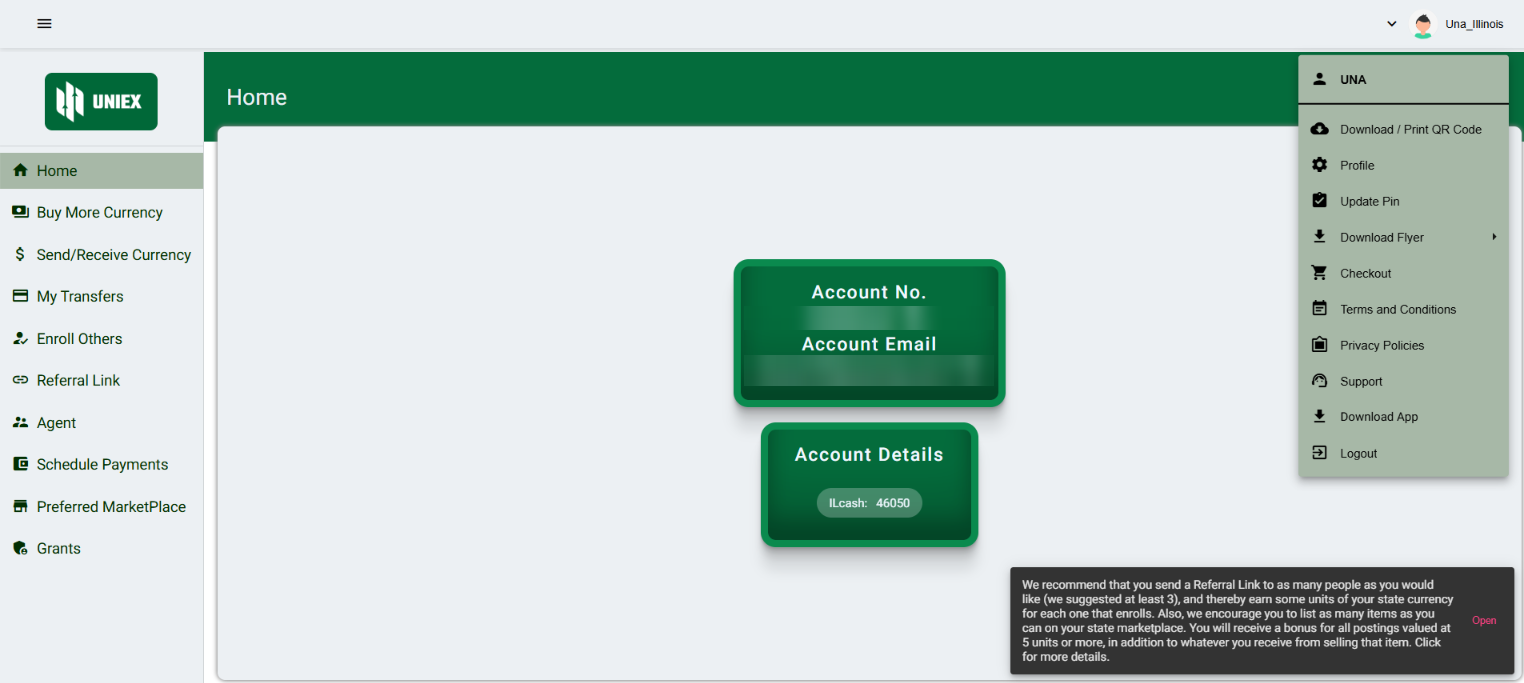
- Grant Options
When the UNA account holder clicks on the “Grants” button, two main options are displayed: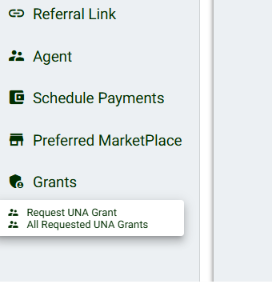
- Submit UNA Grant Request: Allows the UNA account holder to submit a new grant request to the Main Administrator.
- All Requested UNA Grants: Allows the UNA account holder to view all grant requests submitted by the UNA, including their current status. This section also provides details of grant requests submitted by SSPs/RSPs associated with that UNA.
- Submitting a UNA Grant Request
The UNA account holder can submit a new grant request by providing the purpose of the grant and any other required information. The request is submitted to the Main Administrator for review and approval.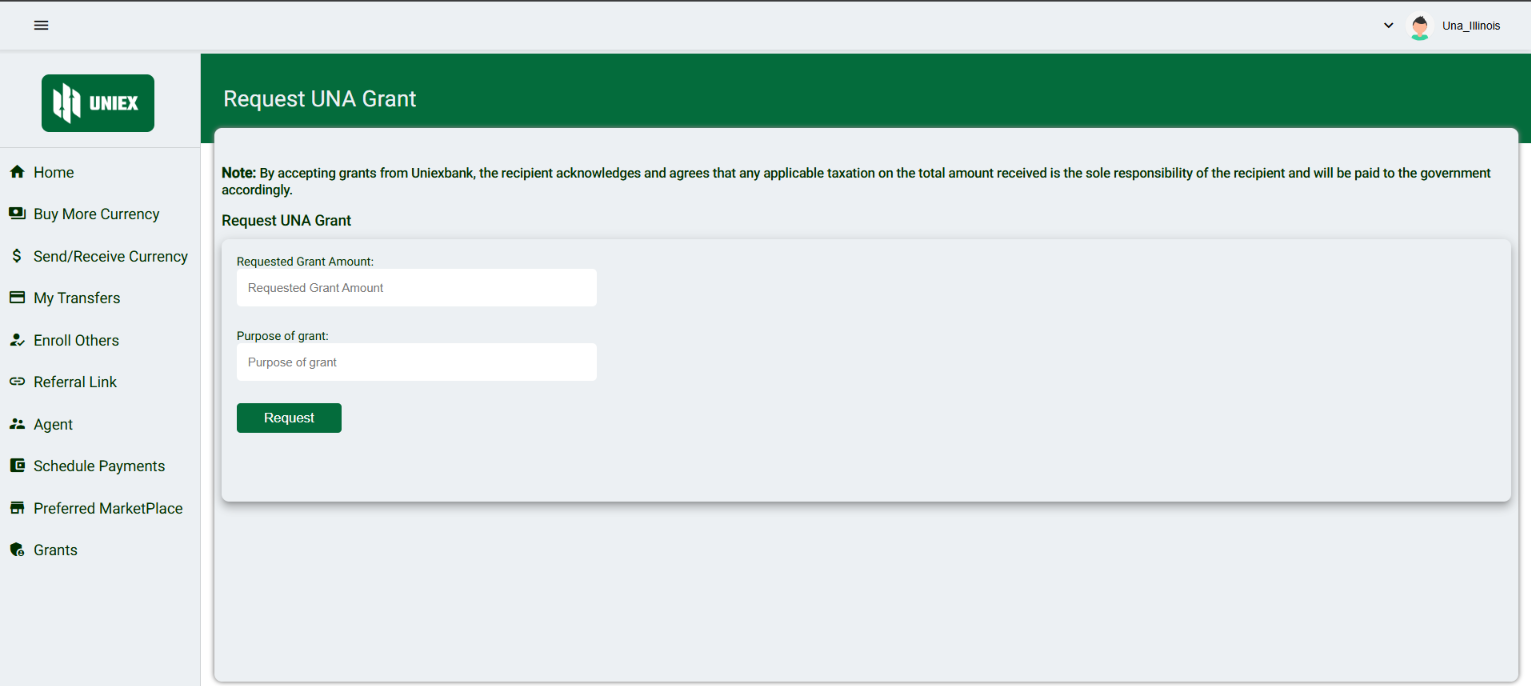
- Submission to the Main Administrator
Once a UNA grant request is submitted, it is forwarded only to the Main Administrator. The Main Administrator is responsible for reviewing the request and deciding whether to approve or reject it. - Grant Approval and Currency Credit
Once the UNA grant request is approved, the approved currency is credited directly to the UNA account holder’s Uniex Bank account. The UNA can then use the available currency to manage and approve eligible grant requests submitted by SSPs/RSPs. - Viewing and Managing SSP/RSP Grant Requests
When the UNA account holder selects “All Requested UNA Grants,” they can also view grant requests submitted by the SSPs/RSPs associated with their state.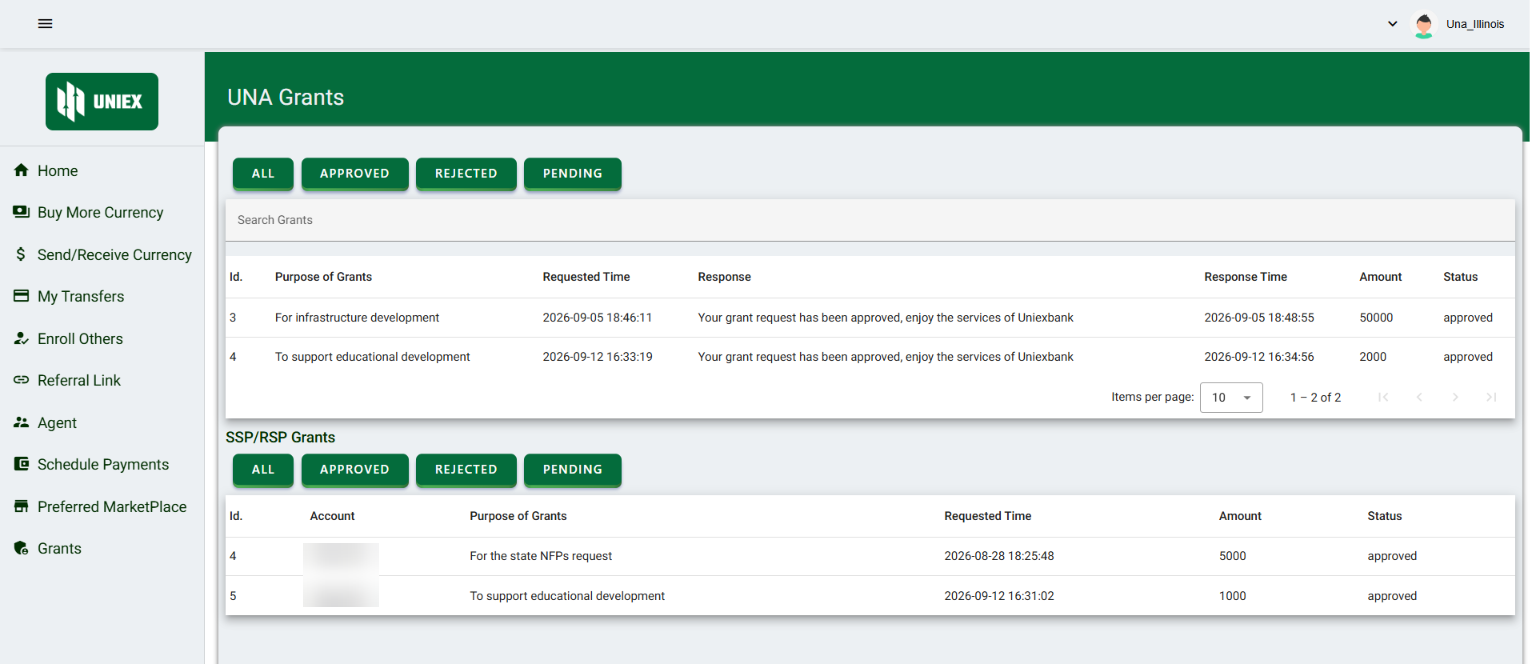
The UNA can review these SSP/RSP grant requests and decide whether to accept or reject each request. This allows the UNA to act as the reviewing authority between the SSP/RSP and the Main Administrator.
- Currency Balance Requirement for SSP/RSP Grant Approval
An important validation has been implemented for SSP/RSP grant requests. A UNA account holder cannot accept an SSP/RSP grant request unless the UNA has sufficient currency available in its Uniex Bank account to cover the requested grant amount.If the UNA does not have enough available currency, the SSP/RSP grant request cannot be accepted. This ensures that the system does not approve a grant when there are insufficient funds available in the UNA account.
When the UNA accepts an SSP/RSP grant request and has sufficient currency, the requested grant amount is automatically deducted from the UNA’s Uniex Bank account and credited to the Uniex Bank account of the SSP/RSP that submitted the request.
Therefore, the currency transfer takes place as follows:
UNA Account → Deduction of Approved Grant Amount → SSP/RSP Account → Credit of Grant Amount
Administrator – Grant Management Workflow
The Administrator is responsible for reviewing and managing grant requests submitted by the UNAs of all states. The Administrator has the highest level of authority in the grant approval workflow and can either approve or reject grant requests submitted by the UNAs.
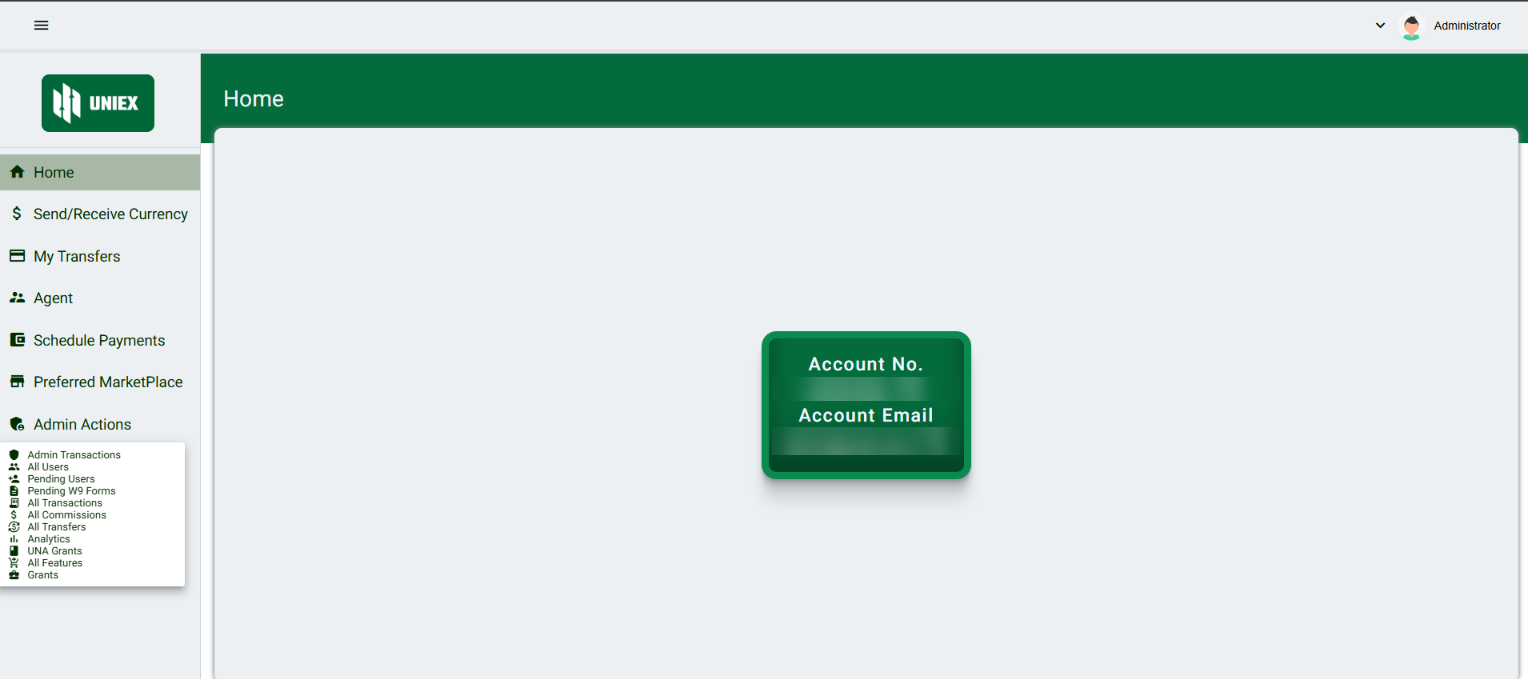
- Viewing UNA Grant Requests
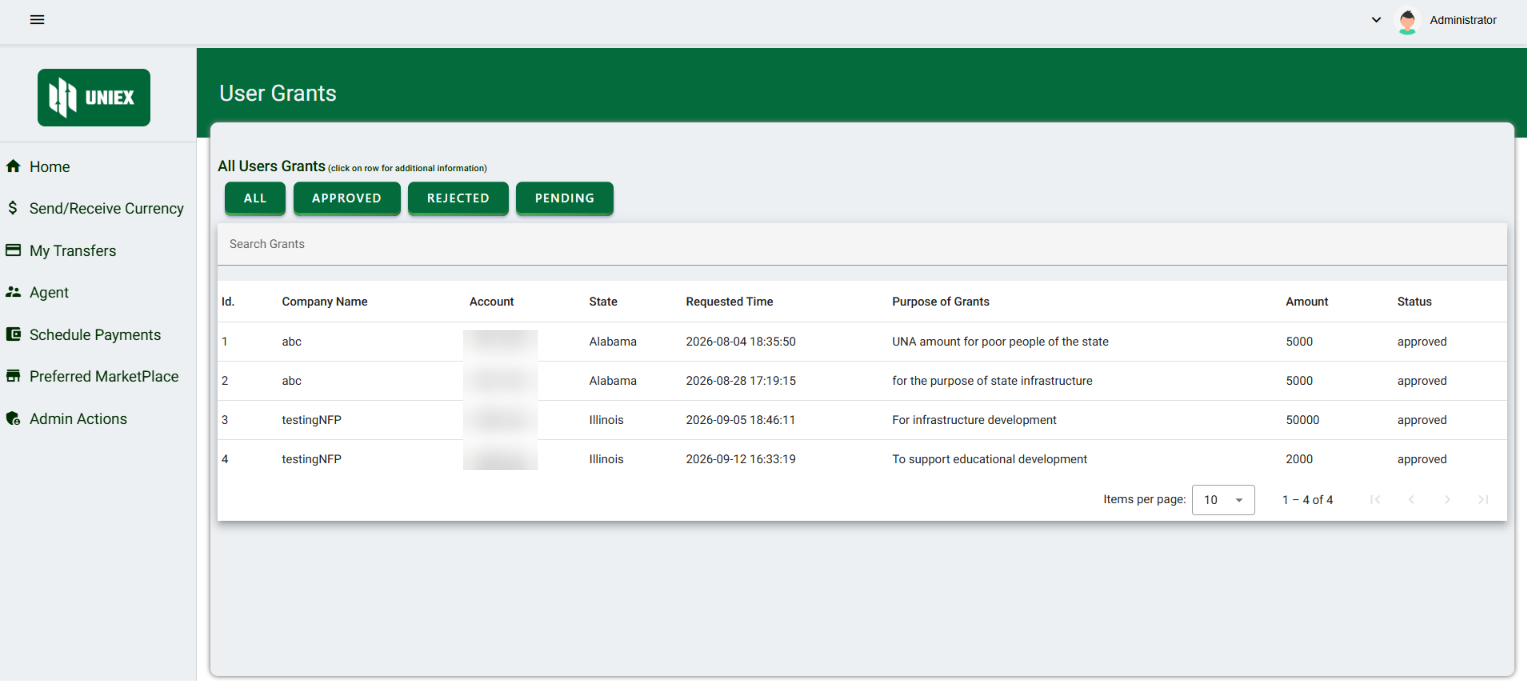
The Administrator can access grant requests submitted by UNAs through the “UNA Grants” option available under the “Admin Actions” section of the Administrator dashboard.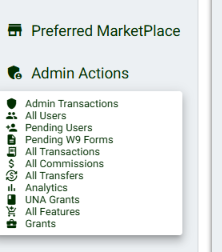
When the Administrator clicks on the “UNA Grants” button, they can view the grant requests submitted by UNAs from all states. The Administrator can review the relevant details of each request, including the purpose of the grant and the requested amount/currency.
- Accepting or Rejecting Grant Requests
After reviewing a UNA’s grant request, the Administrator can either accept or reject the request.- If the request is rejected, the grant is not transferred to the UNA account.
- If the request is accepted, the requested/approved currency is transferred to the UNA that submitted the request.
- Currency Credit After Approval
Once the Administrator accepts a UNA grant request, the approved grant currency is automatically credited to the Uniex Bank account of the respective UNA account holder who submitted the request.Therefore, the final stage of the UNA grant workflow is:
Administrator → Approves UNA Grant Request → Currency Credited to UNA Account